Health and wellbeing support, in Microsoft Teams
Help staff find the support you already offer.
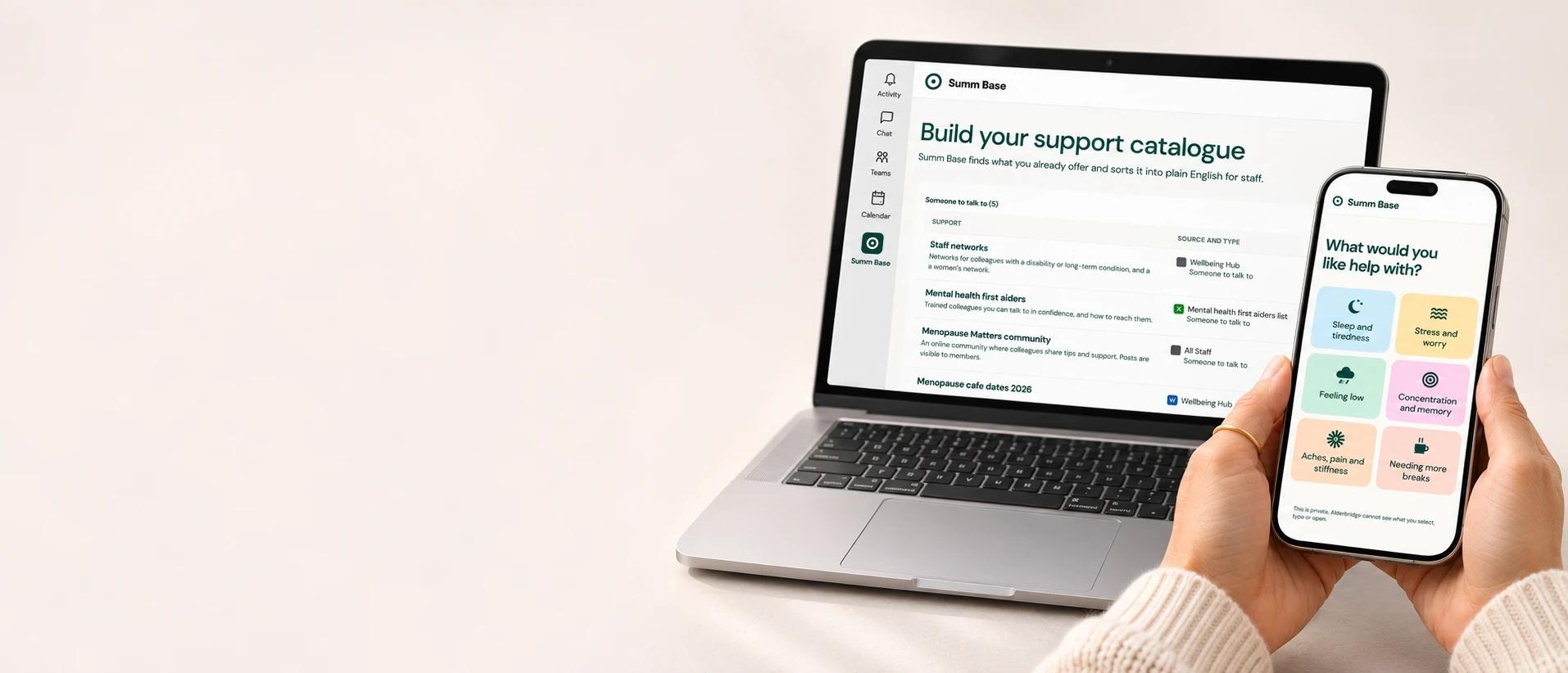
Summ Base brings your organisation’s health and wellbeing support into one place in Microsoft Teams. Staff start with what they would like help with, and see everything that may help, whichever team provides it. Managers get a guide for supporting their team.
Coming soon to the Microsoft Teams Store.
The problem
The support exists. Staff can’t find it.
Health and wellbeing support sits across the intranet, SharePoint sites, HR policies and benefits portals, owned by different teams. People don’t think in those categories. Someone who is not sleeping may need flexible working, the employee assistance programme and a guide, from three different places.
For staff
Start with what would help, not a category.
Staff open Summ Base in Teams and choose as many of these as fit. Or they select Something else and use their own words.
- Sleep and tiredness
- Stress and worry
- Feeling low
- Aches, pain and stiffness
- Needing more breaks
- Feeling too hot
- Concentration and memory
- Living with a health condition
- Coming back after time off
- Caring for someone
- Something else
What they see is sorted by what they need to do next.
You can arrange these yourself
Such as the employee assistance programme or a guide. No need to ask anyone first.
Ask your manager about these
Such as changes to hours or breaks. They can ask in Teams, and only need to say how it affects their work, not why.
Find out more
Policies and guides, each with who owns it and when it was last checked.
Private. Your organisation never sees who selected or opened what. A manager only sees a request someone chooses to send.
For HR and wellbeing teams
Set up in Teams, in three steps.
Your team does the set-up. Staff and managers just open the app.
Find
Summ Base finds the guidance, benefits, services and policies your organisation already has.
Review
Check what was found, keep what is right, and name an owner and review date for each. Summ Base suggests what each one helps with, for you to confirm.
Publish
Publish when it is ready, and it appears in Teams.
Built from what you already offer.
Summ Base does not sort your support into health categories. It groups it by what the support is. A group only appears if you have something in it, and your team can rename groups or move support between them. For example:
Someone to talk to
Such as the employee assistance programme, counselling and mental health first aiders.
Changes to your work
Such as flexible working, workplace adjustments and a phased return to work.
Health services
Such as occupational health, physiotherapy and eye tests.
Equipment and uniform
Such as workstation assessments, desk fans, uniform and PPE options.
Money and benefits
Such as a health cash plan, sick pay and financial wellbeing support.
Policies and guides
Such as your menopause policy, carers guidance and manager guides.
For managers
When someone asks for help, managers know what to do.
A manager is often the first person someone tells. Requests arrive in Teams, and managers can talk them through in a Teams chat or call. Beside each request, Summ Base shows the support they can offer and your organisation’s own adjustments policy as clear steps.
It is your policy, in your words. Summ Base does not rewrite it or give legal advice.
- The request in Teams
- The first conversation
- What to agree
- Who signs off
- When to review
Coming soon
Personal matching and evidence of what works.
Being built with a small number of organisations, clinicians and occupational health. Staff get private, personal matching to the support that fits them and their job. You see which support staff find useful, and what each costs per person helped.
Your organisation sees totals only, never individuals.
Get started
See it in a 20-minute call.
We show you the app and answer your questions.